Q1 :#
Identifying the geographical origin of the attack facilitates the implementation of geo-blocking measures and the analysis of threat intelligence. From which city did the attack originate?
- Ouvrir le .PCAP sur Wireshark
- Aller dans Statistics > Endpoints.
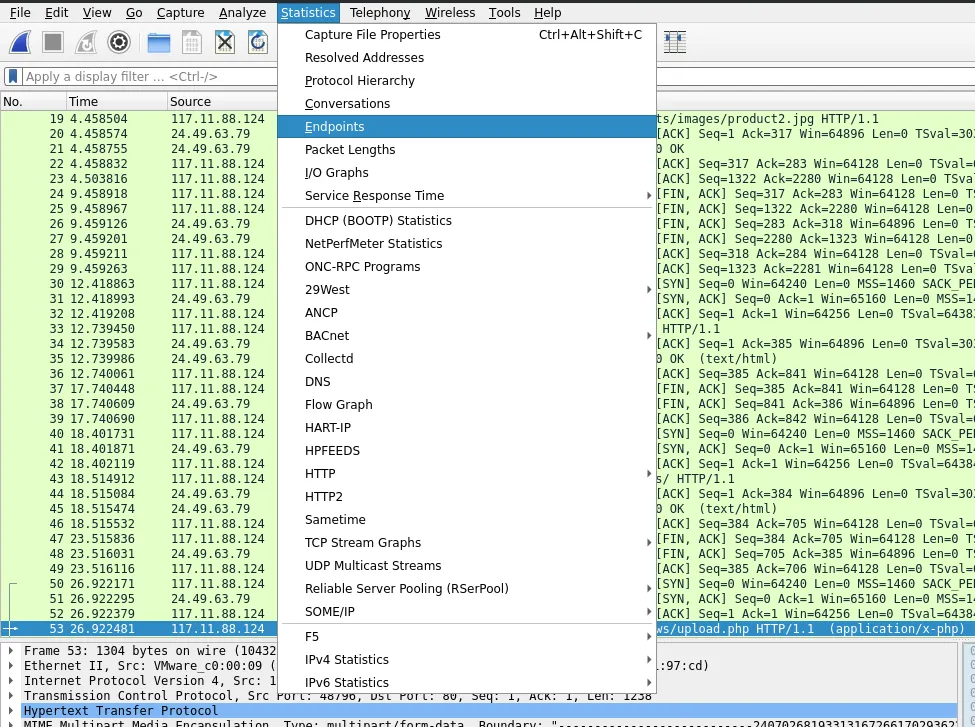
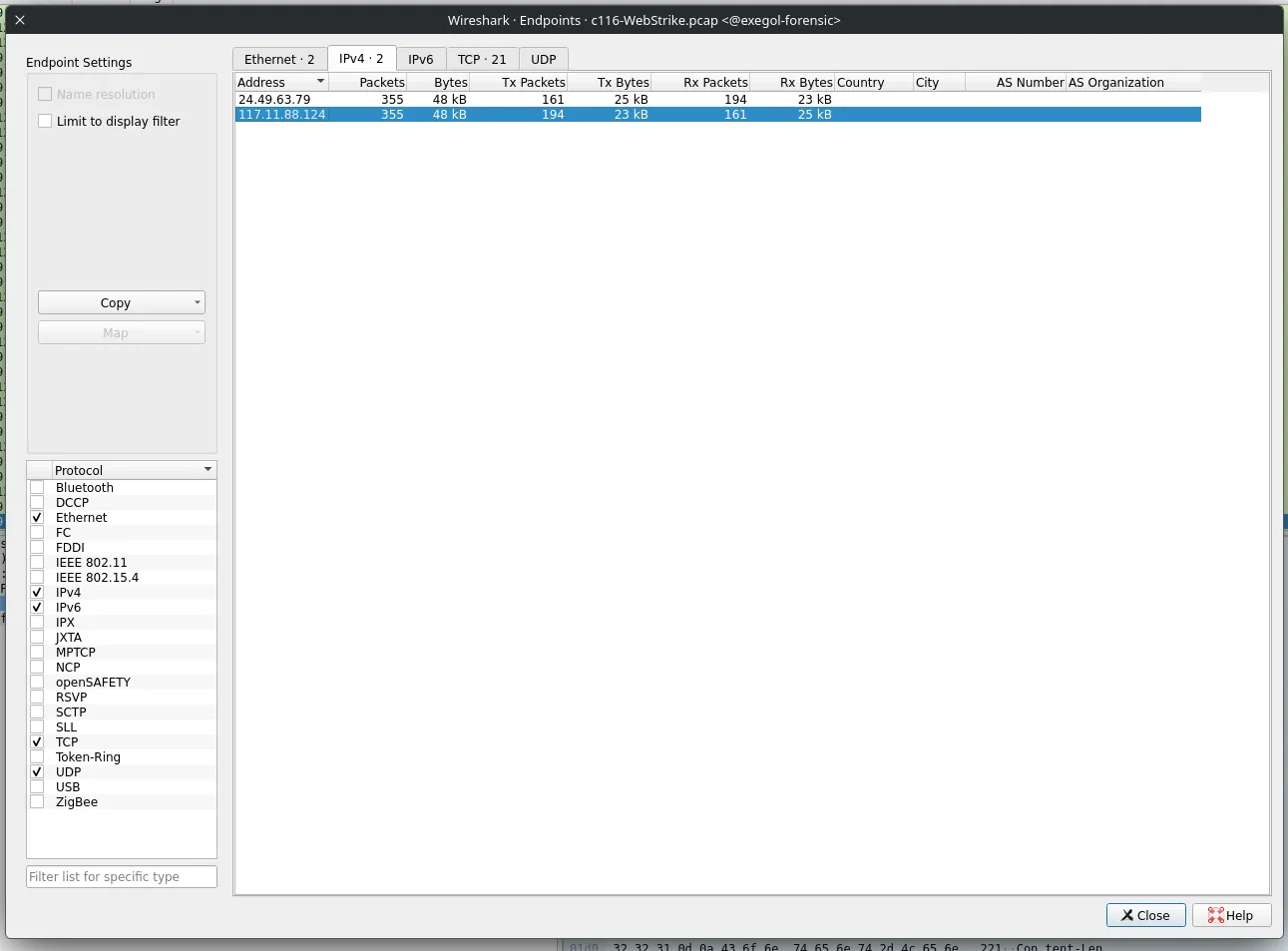
- Aller dans la catégorié IPv4 tab.
- Chercher une adresse IP avec un taux elevé de Tx paquets
- Taper l'adresse IP dans un site de localisation d'adresse ip
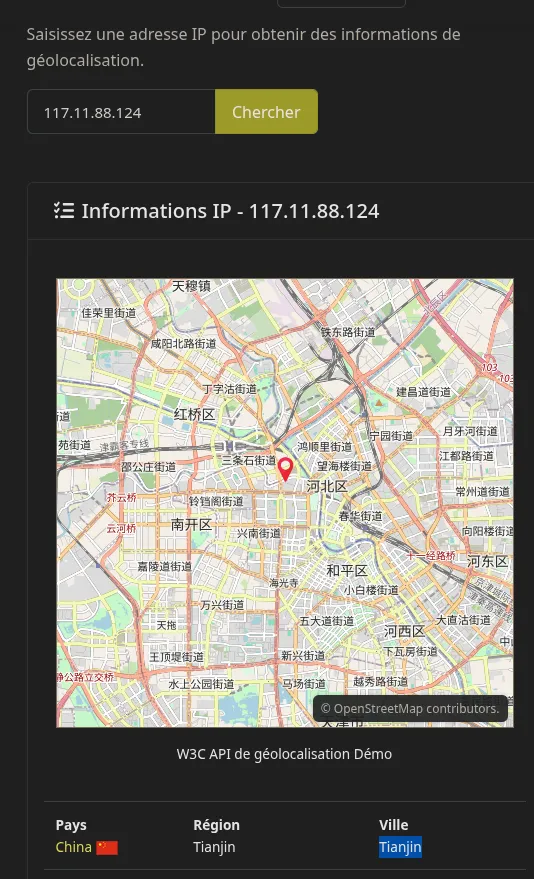
Le flag est : Tianjin
Q2#
Knowing the attacker's User-Agent assists in creating robust filtering rules. What's the attacker's Full User-Agent?
- Dans la barre de recherche, chercher "HTTP"
- Clic droit sur une requête HTTP → Follow → Follow HTTP steam
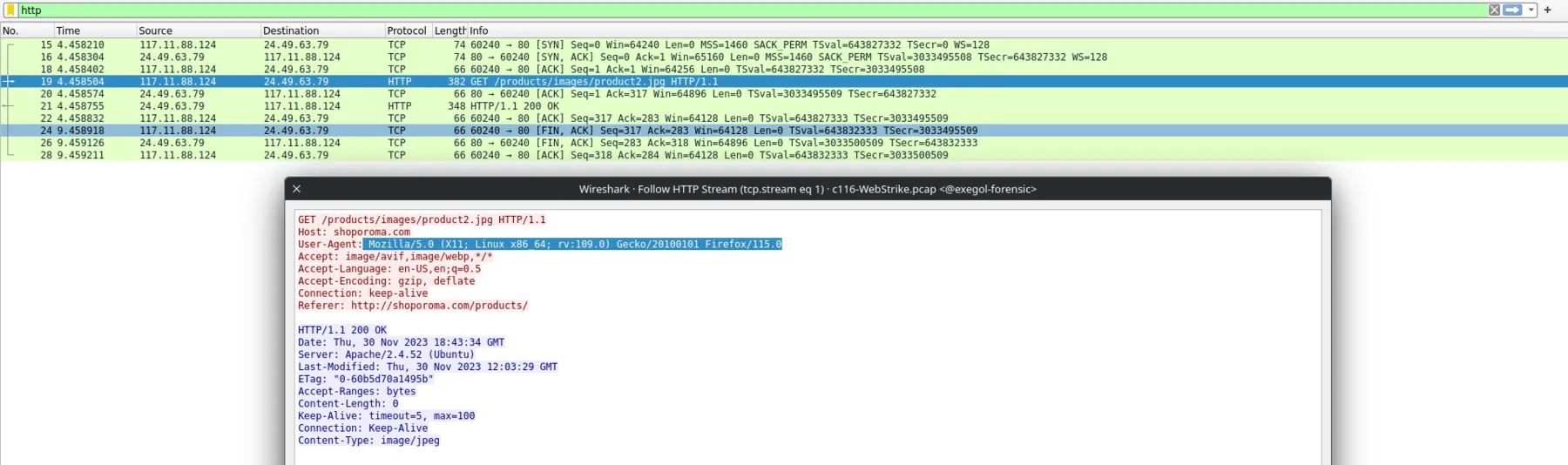
Le flag est : Mozilla/5.0 (X11; Linux x86_64; rv:109.0) Gecko/20100101 Firefox/115.0
Q3#
We need to determine if any vulnerabilities were exploited. What is the name of the malicious web shell that was successfully uploaded?
- Toujours dans HTTP, il suffit de regardez les lien visités pour voir une extension inhabituelle en
.php
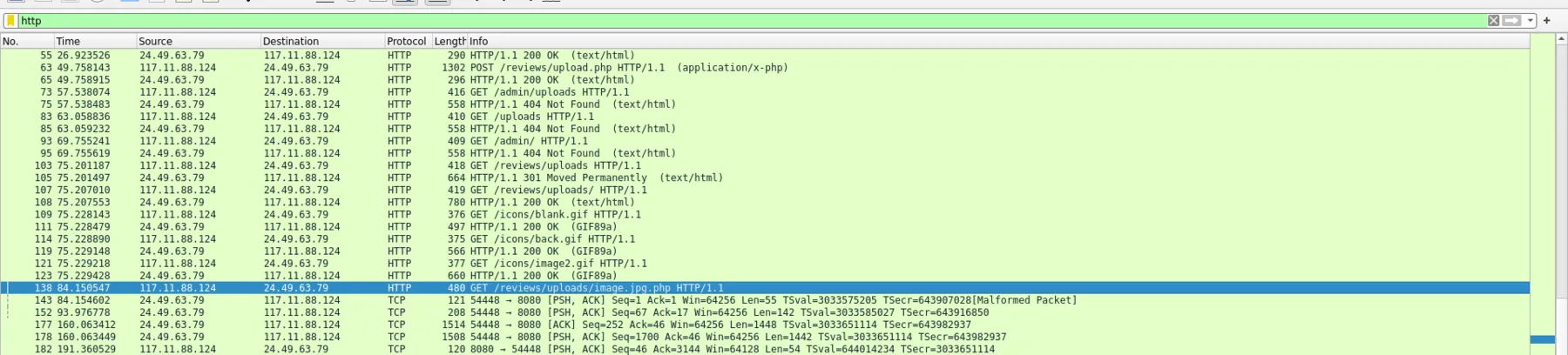
Le flag est image.jpg.php
Q4#
Identifying the directory where uploaded files are stored is crucial for locating the vulnerable page and removing any malicious files. Which directory is used by the website to store the uploaded files?
- Le dossier est littéralement dans le screen haut dessus pour répondre à la question Q3.
Le flag est /reviews/uploads/
Q5#
Which port, opened on the attacker's machine, was targeted by the malicious web shell for establishing unauthorized outbound communication?
- Aller dans Statistics > IPV4 Statistics → Destinations and ports.
- Le port utilisé dans 50% des cas côté attackant est le 8080
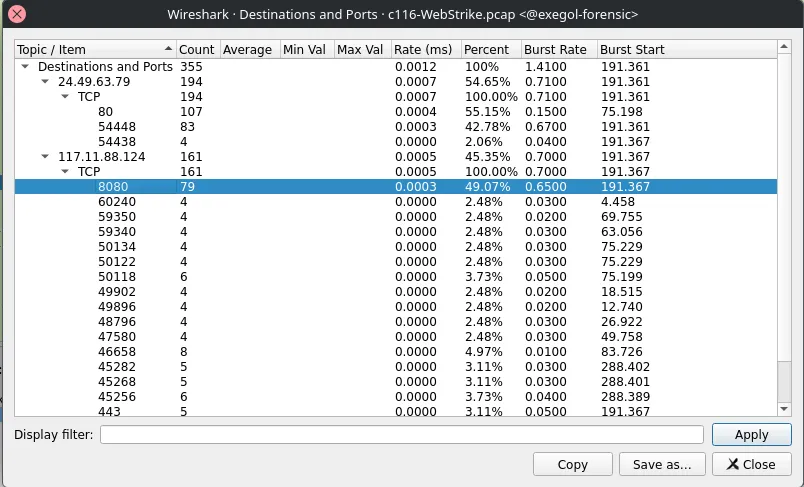
Le flag est 8080
Q6#
Recognizing the significance of compromised data helps prioritize incident response actions. Which file was the attacker attempting to exfiltrate?
- Dans la barre de recherche, tapez,
text
http.request.method == "POST"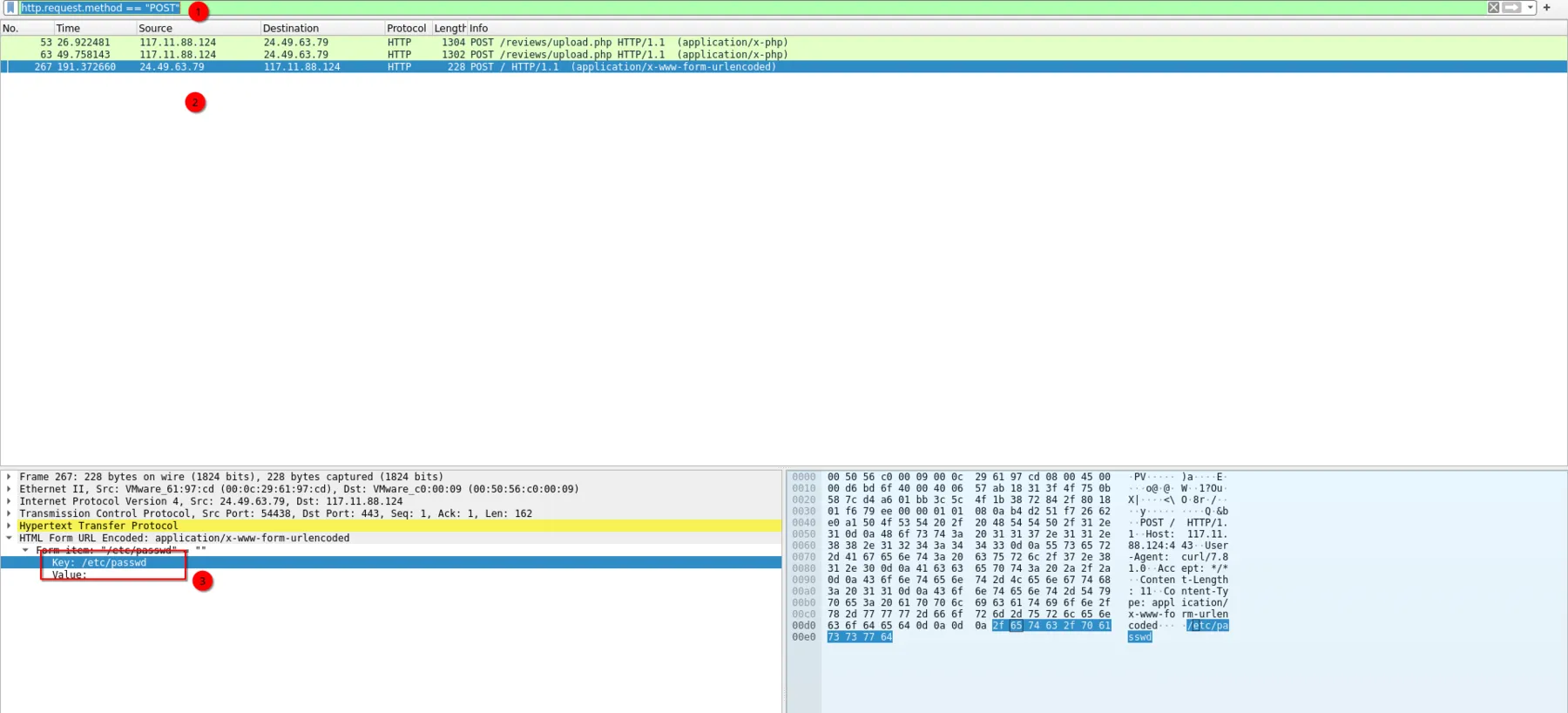
- L'attaquant essaie de lire le fichier
/etc/passwd
Le flag est passwd